
AI Product Photo Generator: A Practical Ecommerce Guide
A practical guide to using an AI product photo generator for ecommerce: what to preserve, scene recipes, lighting language, catalog consistency and a publish checklist.
Key takeaways
- Learn what a product photo generator must preserve so labels, shape and colour stay recognisable
- Use the three-image test to judge any AI product photo before you publish it
- Copy production-ready scene recipes for skincare, jewellery, apparel and food
- Build a consistent catalog and ad variants from a single phone photo
What an AI product photo generator should preserve
A product photo generator is only useful to a seller if the product survives the edit. The label text, the silhouette, the cap shape, the material finish and the true colour all need to stay close to the source photo. If the bottle becomes slightly taller or the amber glass turns yellow, the listing no longer matches what the customer receives, and that gap creates returns and complaints.
Preservation starts with the input. Shoot on a plain surface with even light, keep the product sharp and fill most of the frame, and avoid heavy shadows across the label. A clean source gives the model fewer reasons to invent detail. Image-to-image workflows in Flash Omni, such as Nano Banana Pro or GPT Image 2, are generally better at holding a product than a pure text-to-image prompt because they have the real object to reference.
Be honest about limits. Small print, curved labels, transparent packaging and reflective metal are the hardest cases, and no tool will reproduce them perfectly every time. Expect to generate several candidates, keep the one that reads correctly at thumbnail size, and fix remaining text issues in a normal editor rather than asking the model to redraw lettering.
- Keep the product at 60 to 80 percent of the frame in the source photo
- Use diffuse daylight and avoid hard shadows crossing the label
- Check cap, pump and closure shapes against the original
- Compare colour against a real photo on a calibrated screen
- Treat label text as the first thing to verify, not the last
The three-image test before you trust any AI product photo
Before you build a workflow around any generator, run a simple test with three images of the same product: a front view, a three-quarter view and a close crop of the label. Generate each one in the same scene and compare them side by side. If the product changes proportions between the three, the tool is guessing rather than preserving, and your catalog will look inconsistent.
The second part of the test is scale. Place the product next to a known object in the scene, such as a folded linen napkin or a standard tile, and check whether it looks the right size. AI scenes often drift toward dramatic scale, making a 30ml serum look like a litre bottle. A believable product photo keeps human-scale cues intact.
Finally, test the same prompt twice. Run identical settings and see how much the background and lighting shift. High variation is fine for social posts but painful for a catalog where twenty images should feel like one shoot. Note which model gives you the most repeatable results and use that one for core listing images.
- Front, three-quarter and label crop from one source photo
- Check proportions and label placement across all three
- Add a scale reference object and judge relative size
- Repeat the same prompt to measure consistency
- Reject any result that would confuse a customer at thumbnail size
Scene recipes for skincare, jewellery, apparel and food
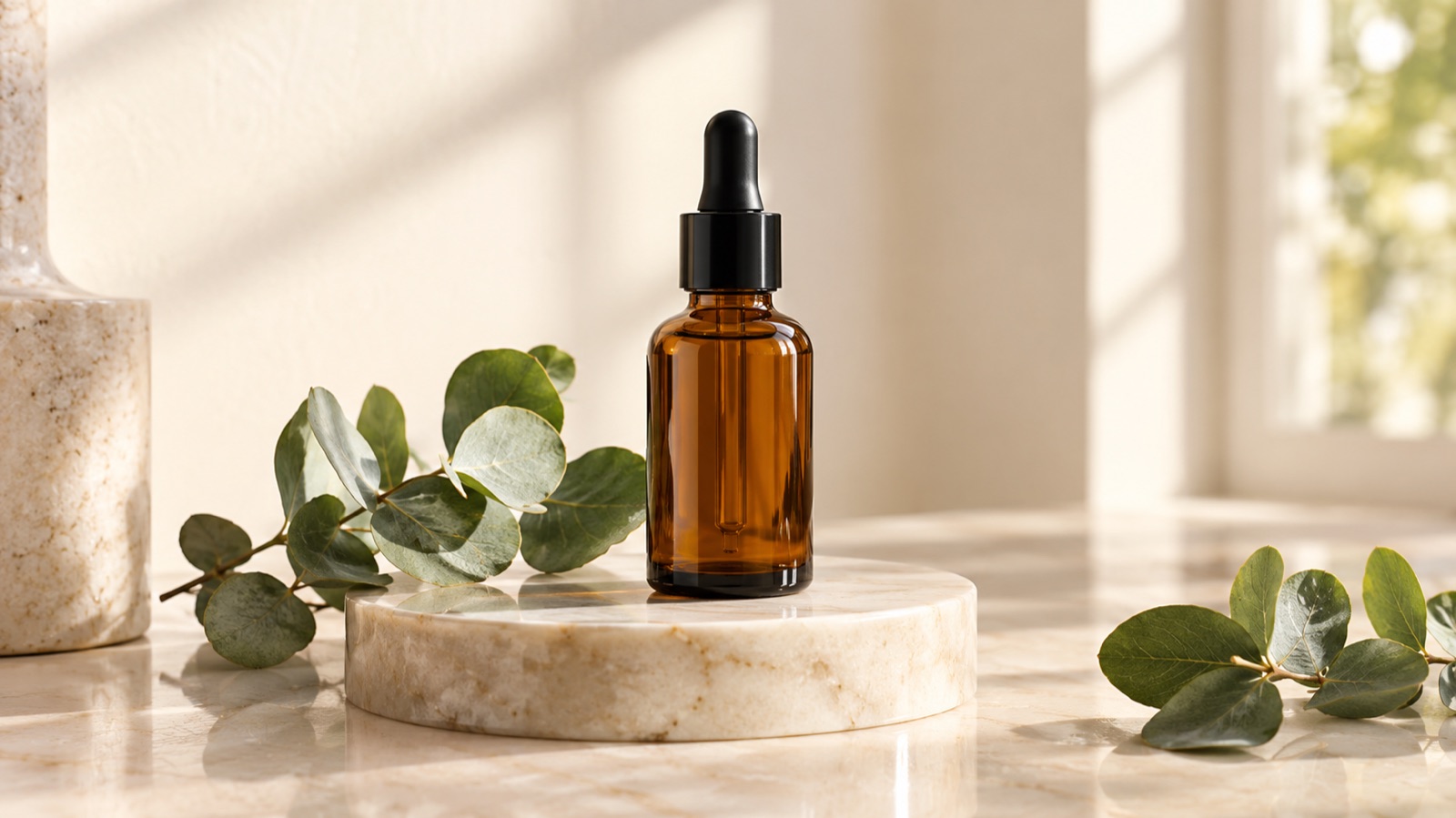
Skincare benefits from calm, clinical surfaces. A cream marble slab with a soft gradient wall, one eucalyptus sprig and a shallow shadow reads as premium without clutter. Keep the bottle upright, preserve the cap reflection and let the label face the camera. Warm neutral tones suit amber and frosted glass, while cool grey suits white and clear packaging.
Jewellery needs tighter framing and softer light. A warm linen flat lay with a small ceramic dish, a few dried petals and a subtle fabric fold gives rings and chains context without competing for attention. Avoid busy patterns behind fine metal, because the model may merge the chain into the texture. For apparel, an editorial lookbook scene with a plain plaster wall, a wooden stool and window light works well, but always check that seams, prints and logos survive.
Food is the least forgiving category. Texture, crumb, sauce sheen and portion size all carry meaning, and a model can easily make a product look larger or fresher than it is. Use food scenes for lifestyle crops and social content, and keep at least one unedited photo in the listing so buyers see the real item.
- Skincare: cream marble, eucalyptus, soft side light, label facing camera
- Jewellery: warm linen, ceramic dish, dried petals, low contrast background
- Apparel: plaster wall, wooden stool, window light, verify seams and prints
- Food: use AI for lifestyle crops and keep a real photo in the listing
Lighting language that produces believable shadows
Vague lighting words produce vague images. Instead of asking for beautiful light, describe direction, size and quality. Phrases such as soft window light from the left, large diffused source, gentle falloff to the right and a single soft shadow under the base give the model something concrete to build. Direction matters most because it determines where the shadow lands.
Match the shadow to the surface. A glass bottle on marble should show a soft contact shadow and a faint reflection, while a matte jar on linen should show a diffuse shadow with no mirror image. If you ask for glossy reflections on a fabric surface, the result will look pasted. Mention the surface material and the shadow behaviour in the same sentence.
Keep one light source unless you have a reason for more. Two competing directions create double shadows, which is the fastest way to make an AI product image look fake. If you need fill, describe it as gentle bounce from the right rather than a second lamp, and check the base of the product where contact shadows reveal whether the object is really sitting on the surface.
- Name the direction: from the left, from behind, from a high window
- Name the quality: soft, diffused, gentle falloff, single contact shadow
- Name the surface: matte linen, polished marble, brushed wood
- Avoid two hard light sources that create double shadows
- Inspect the contact point where product meets surface
Background replacement without fake reflections
Background replacement is the most common use of an AI product photo generator, and reflections are where it usually fails. A polished surface should reflect the product and the environment, but models often paint a generic blur or mirror the product incorrectly. The fix is to describe the reflection explicitly: a faint, soft reflection fading within a few centimetres of the base, not a full mirror image.
Transparent and metallic products need extra care. Glass can pick up the colour of the new background, which is physically plausible but may shift the perceived product colour. Keep the new scene neutral around the product, then add colour further away. For metal, ask for soft gradient reflections rather than sharp highlights, because sharp highlights reveal that the environment was invented.
Always compare the edited image with the original at 100 percent. Look at the edges of the product, the shadow direction and the reflection length. If the shadow points one way and the highlight suggests another, the image will feel wrong even to viewers who cannot explain why. A slightly simpler background usually beats a dramatic one that breaks physics.
- Describe reflection length and softness, not just presence
- Keep colour near the product neutral to protect perceived colour
- Ask for gradient reflections on metal instead of sharp highlights
- Check shadow direction against highlight direction
- Compare edges at 100 percent before accepting the edit
How to create a consistent product catalog
Catalog consistency comes from fixed variables. Choose one background family, one light direction, one camera height and one crop ratio, then reuse them across every product. Write the scene description once and save it as a template, changing only the product reference and any colour notes. This is where image-to-image workflows earn their place, because the source photo anchors the product while the template anchors the look.
Generate in batches by category rather than by product. All serums together, all jars together, all cartons together. Batching makes it easier to spot a product that drifted in scale or colour, and it keeps your prompts mentally fresh. Keep a simple log of model, prompt and seed or settings so you can reproduce a look months later when you add a new SKU.
Accept that some products will need manual finishing. A quick pass in a standard editor to correct label text, straighten a cap or match white balance takes minutes and protects the listing. Consistency is a production habit, not a single prompt, and a small template library will outperform clever one-off prompts over a full season.
- Lock background, light direction, camera height and crop ratio
- Save one scene template per category and reuse it
- Batch by product type to catch drift early
- Log model, prompt and settings for every approved image
- Finish label text and white balance manually where needed
Ad variants and lifestyle crops from one source
One good source photo can feed a whole campaign if you plan the crops first. Start with a square hero for the listing, then derive a 4:5 vertical for feed ads, a 9:16 vertical for stories and a wide 16:9 for site banners. Each crop needs different breathing room, so describe the product position explicitly, such as centred with space above for headline text.
For ad variants, change one variable at a time: background colour, prop set or light mood. Keeping the product identical across variants lets you test the scene rather than the product, which is what most creative tests actually measure. Generate three to five variants, review them at phone size, and discard anything where the product is not instantly readable.
Lifestyle crops work best when a human element is implied rather than shown. A hand reaching for the bottle or a bathroom shelf in soft focus adds context without the risk of distorted fingers or faces. If you do include people, check hands and eyes carefully, and keep a non-AI photo in the mix for authenticity.
- Plan square, 4:5, 9:16 and 16:9 crops before generating
- Change one variable per variant so tests stay meaningful
- Review variants at phone size, not on a large monitor
- Prefer implied human presence over rendered hands and faces
- Keep at least one real photo in every campaign
A quality checklist before publishing
Run the same checklist on every image before it goes live. Confirm the product shape, label text, colour and scale against the original photo. Check that the shadow direction matches the light, that reflections fade naturally and that the product sits convincingly on the surface. Then view the image at thumbnail size, because that is how most shoppers will first see it.
Check platform rules as well. Marketplaces have their own requirements for pure white backgrounds, minimum resolution and whether lifestyle imagery is allowed in the main image slot. Keep your AI-assisted scenes for secondary images and ads where the rules permit, and use a clean, accurate main image. Never let an AI scene imply a size, contents or accessory that is not included.
Finally, keep a record. Store the source photo, the prompt and the approved output together so you can answer questions later and reproduce the look for new products. If a customer asks whether an image is representative, you should be able to confirm that the product shown matches what ships. Honest imagery protects trust more than any visual trick.
- Verify shape, label, colour and scale against the source
- Confirm shadow and reflection logic
- Review at thumbnail size on a phone
- Follow marketplace rules for main images
- Archive source, prompt and approved output together
Keep exploring
Prompt recipes
Prompt recipes are kept in English because image and video models follow English instructions most reliably. The rest of the guide is in your language.
Cream marble skincare still life
Using the supplied product photo as the only reference, place the amber skincare bottle upright on a cream marble slab with subtle grey veining. Preserve the exact bottle silhouette, cap shape, label layout and amber glass colour. Add one eucalyptus sprig lying behind the bottle and a soft gradient wall in warm off-white. Light from a large diffused window on the left, gentle falloff to the right, one soft contact shadow under the base and a faint reflection fading within two centimetres. Keep the label facing the camera and legible. Square crop, product centred with space above.
Warm linen flat lay for jewellery
Edit the supplied jewellery photo into a warm linen flat lay. Keep the exact ring or chain shape, metal tone, stone colour and clasp detail from the reference. Lay the piece on natural oatmeal linen with a small ceramic dish to the upper right and three dried petals scattered loosely. Soft overhead daylight, low contrast, gentle shadow under the metal and no sharp specular highlights. Avoid busy fabric patterns behind fine chain links. Top-down camera, 4:5 vertical crop, product slightly off centre with clean space for text.
Editorial apparel lookbook scene
Use the supplied garment photo as the reference and build an editorial lookbook scene. Preserve the exact cut, seam placement, fabric texture, print and logo position. Place the garment on a simple wooden stool against a plain plaster wall in warm grey, with soft window light from the right and a long gentle shadow falling left. Keep colours true to the source and avoid inventing new prints or trims. 4:5 vertical crop, garment fully visible with breathing room above for a headline.
Frequently asked questions
Can an AI product photo generator keep my label readable?
Often yes for large, simple text, but small print and curved labels frequently drift. Use an image-to-image workflow with a sharp source photo, generate several candidates and check the label at 100 percent. Plan on a short manual correction pass in a standard editor for fine text rather than relying on the model to redraw lettering accurately.
Will the product still look like the real item?
It should look close if you supply a clean, well-lit source photo and describe preservation clearly. Shape, colour and label placement usually hold well, while transparent glass, reflective metal and very fine detail are harder. Always compare the result with the original and keep at least one unedited photo in the listing.
How many credits does image generation use?
Flash Omni shows the credit cost before you confirm each job, so you can judge before spending. A public one-time pack starts at USD 19.99 for 500 credits, and monthly plans start at USD 14.99 for 500 credits. Costs vary by model and settings, so check the confirmation screen rather than assuming a fixed rate.
Which models are available for product images?
The image workspace lists models including GPT Image 2, Nano Banana 2, Nano Banana Pro, Seedream 4.5, Seedream 5 Lite, FLUX.2 Pro, FLUX.2 Flex, Qwen Image, Ideogram, Grok Imagine and Z-Image. Jobs are routed through providers such as KIE, and model providers and routing partners vary by model, so availability and behaviour can differ between them.
Can I use AI product photos on Amazon, Etsy and Shopify?
Each platform has its own rules, and marketplace main image requirements are usually strict about pure white backgrounds and accurate representation. Use AI-assisted scenes for secondary images, ads and social posts where permitted, keep the main image clean and truthful, and check current platform guidance before publishing anything that could mislead a buyer.
Do I own the images and can I use them commercially?
Rights depend on the model, the provider and your local law, and Flash Omni does not promise exact likeness, commercial rights or refunds. Review the terms attached to the specific model you use, keep your source photos and prompts on file, and take legal advice if you plan large-scale commercial campaigns.
Turn this guide into a finished visual
Open the image editor or video workspace, paste your prompt, and see the result before you spend credits. Prices and model availability are shown before you confirm a run.
- Secure checkout
- Credits shown before you confirm
- Support from the product team
This guide is maintained by the Flash Omni editorial team. Product limits, model availability, and prices can change, so verify the current workspace before you buy credits.
Related guides

AI Thumbnail Maker: A Practical Guide for YouTubers and Creators
Learn how to use an AI thumbnail maker to generate clickable backgrounds, keep one face and one focal point, and leave safe space for titles. Includes prompt recipes.
Read guide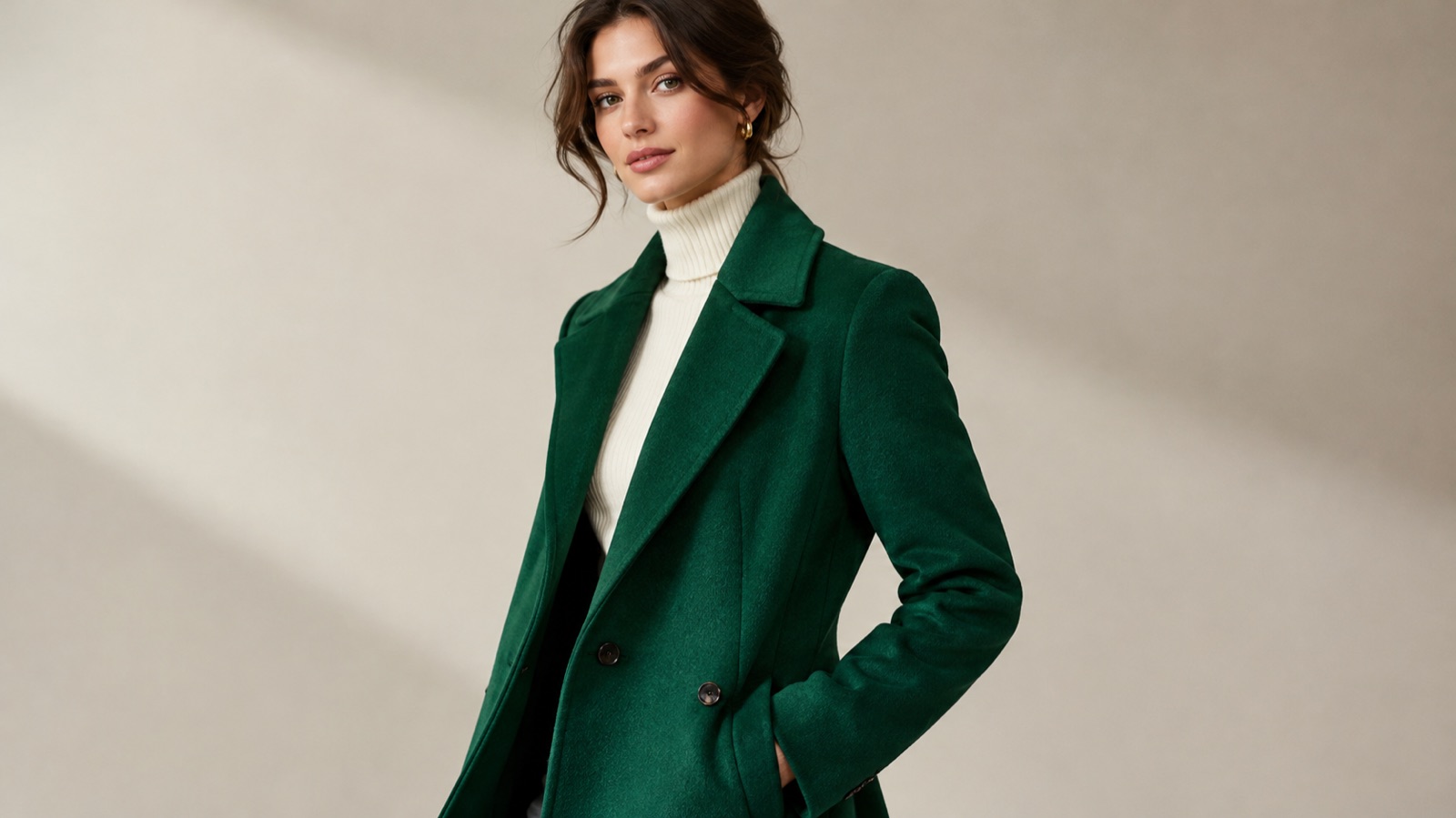
AI Fashion Try-On Generator: A Practical Guide for Shoppers, Sellers and Stylists
Learn how to use an AI fashion try-on generator to preview outfits on a real person, test colourways, keep seams believable and plan lookbook images that sell.
Read guide
AI Headshot Generator: A Practical Guide to Professional Portraits
Learn how to use an AI headshot generator for LinkedIn, resumes and team pages. Upload tips, crop ratios, lighting setups, retouch checks and prompt recipes.
Read guide